
AI Script Writer & Screenplay Format: How AI Keeps Your Script Industry-Standard
The moment a reader opens your script, formatting tells them whether you know the craft — before they reach a single line of dialogue. A modern ai script writer handles that invisible layer for you, laying every scene heading, action line, and character cue exactly where the industry expects it. The format itself is a fixed set of rules, and the Writers Guild of America treats adherence to those conventions as a baseline for professional work.
This guide breaks down the standard screenplay format element by element — the seven line types, margins, Courier 12, page numbering — then shows how tools like Final Draft, Fountain, and an AI scriptwriter keep every page production-ready.

What «Screenplay Format» Actually Means
Screenplay format is the standardized structure used to write scripts for film, television, and video. It dictates not just the dialogue spoken by characters, but the actions, settings, and transitions in each scene, communicating them to the director, cinematographer, and actors as clearly and efficiently as possible.
A blueprint, not just words on a page
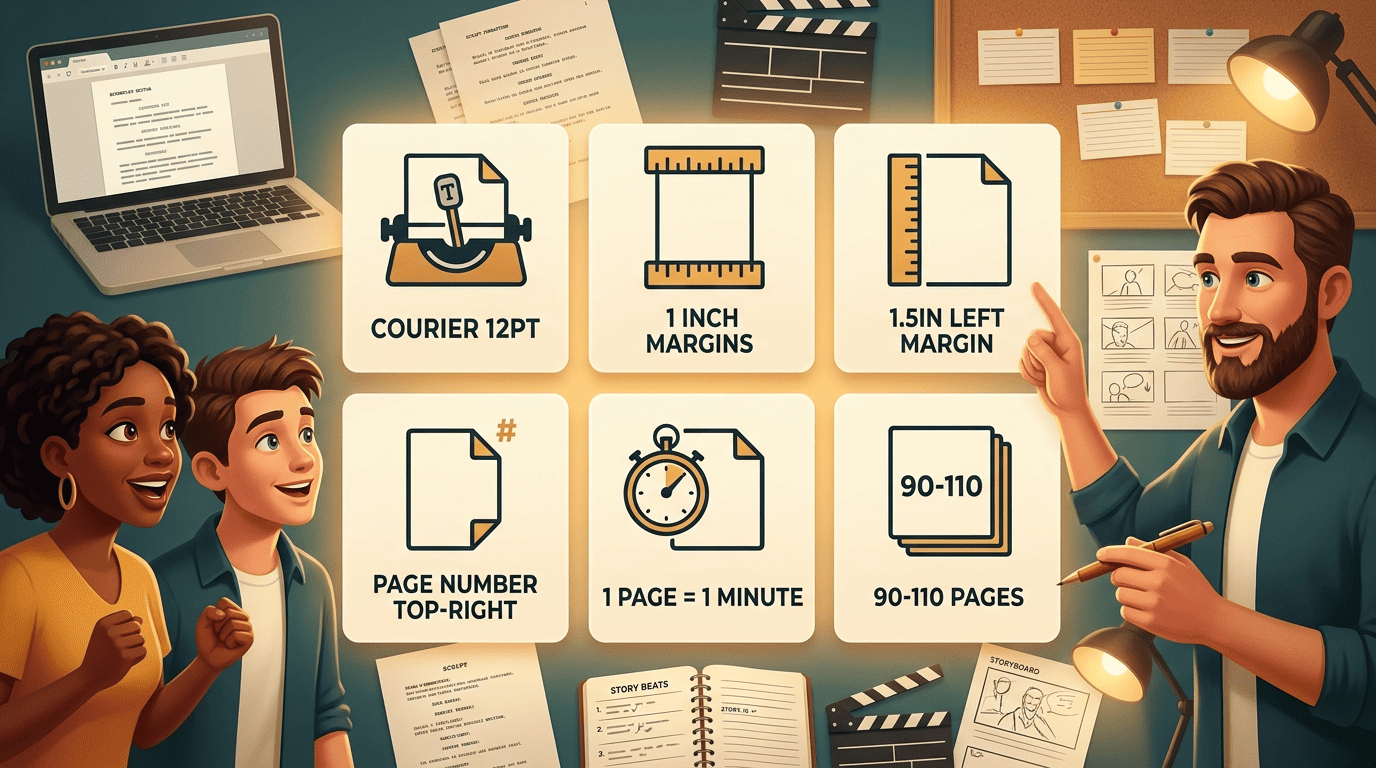
Think of the format as an architect’s blueprint drawn before the foundation is poured. Specific margins, font, and spacing rules make a script easy to read and, crucially, easy to time: one properly formatted page equals roughly one minute of screen time. That single convention is why a feature runs about 90–110 pages and a short film anywhere from 1 to 60.
Why format is taken so seriously
An improperly formatted screenplay will not be taken seriously by industry professionals, and there are technical concerns as well. Even slight deviations from standard conventions throw off a script’s timing, which cascades into scheduling and budget. Getting the format right is the price of admission — it signals you understand the medium before anyone judges the story.
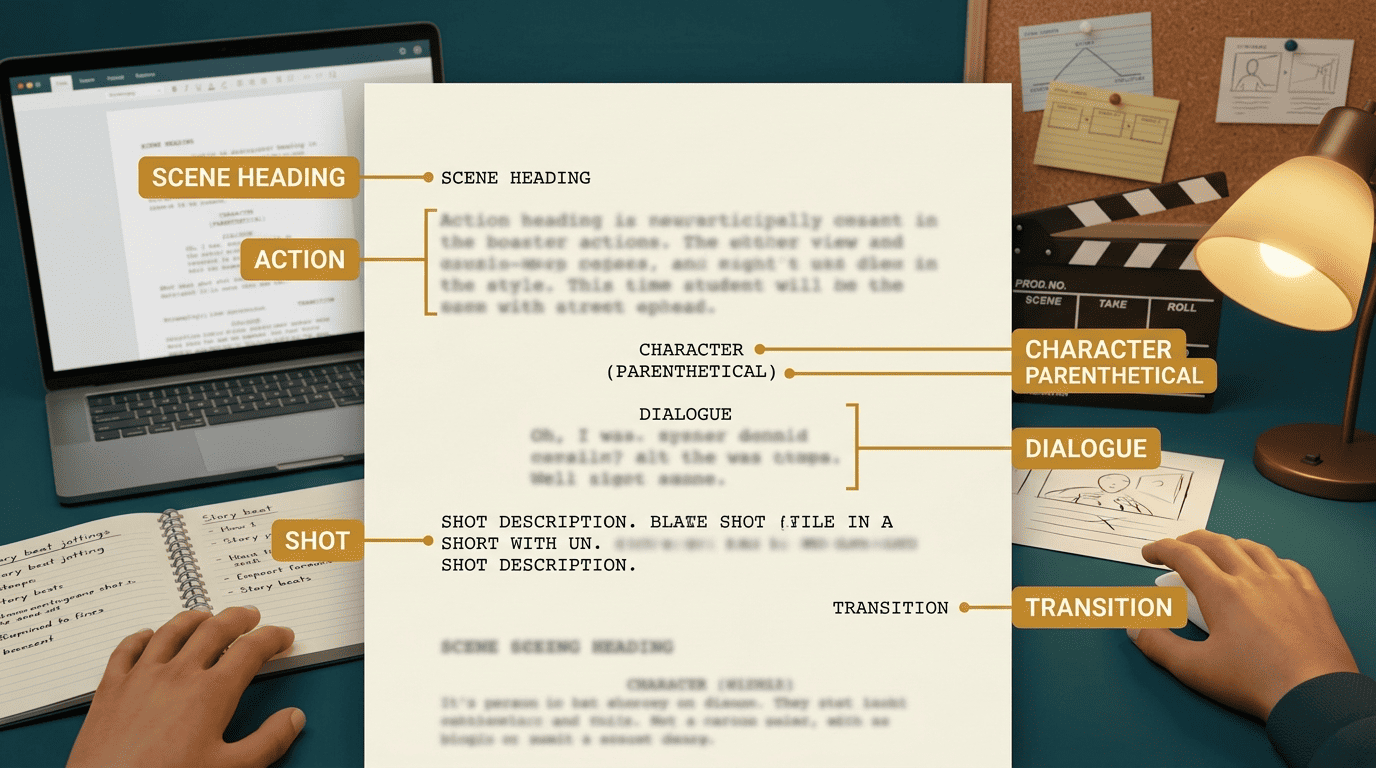
The Seven Line Types (The Core of the Format)
A screenplay uses seven specialized line types, each with its own alignment and capitalization. Master these and you have mastered the visible skeleton of the format.
Scene heading, action, character, dialogue
The four line types you will use on nearly every page are the backbone of any scene:
- Scene heading (slug line) — left aligned, all caps, opens with INT. or EXT. plus location and time, e.g.
INT. COFFEE SHOP - DAY. - Action — left aligned, written in present tense, describing what the audience sees and hears.
- Character — centered, all caps, placed directly above the lines that character speaks.
- Dialogue — block-formatted beneath the character name, narrower than the action margins.
Parenthetical, shot, transition
The remaining three appear less often but still follow strict rules. A parenthetical goes below the character line, inside parentheses, for a brief delivery cue such as (whispering). A shot line is left aligned and all caps but is rarely used in a spec script. A transition is right aligned and all caps — CUT TO: or DISSOLVE TO: — and should be used sparingly. Parenthetical and dialogue are the trickiest to place by hand, since they sit toward the middle of the page but not quite centered, and getting them wrong is a dead giveaway to any trained reader.
| Line type | Alignment | Case | Example |
|---|---|---|---|
| Scene heading | Left | ALL CAPS | INT. KITCHEN — NIGHT |
| Action | Left | Sentence | She flips the light switch. |
| Character | Centered | ALL CAPS | MAYA |
| Parenthetical | Indented | lowercase | (quietly) |
| Dialogue | Block, indented | Sentence | We should leave now. |
| Transition | Right | ALL CAPS | CUT TO: |
Margins, Font, and Page Rules
Beyond the line types, a set of technical specs almost never changes. These are the details a reader checks unconsciously, and the ones that break the page-per-minute math when they drift.
The core rules are quick to apply once, then forget:
- Set the top, bottom, and right margins to one inch.
- Set the left margin to 1.5 inches to leave room for binding.
- Choose Courier or Courier New at 12 point — every other font is unacceptable.
- Place page numbers in the upper-right corner.
- Leave the first page unnumbered.
- Keep one page equal to roughly one minute of screen time.
- Open the script with
FADE IN:and close withFADE OUT.
Fountain is a simple markup syntax for writing, editing and sharing screenplays in plain, human-readable text.
Fountain.io
Courier exists for a reason: it is a monospaced font, so every character occupies the same width. That uniformity is what makes the page count a reliable proxy for runtime, which is why the industry never let go of a typewriter-era typeface.
Final Draft vs Fountain vs Celtx
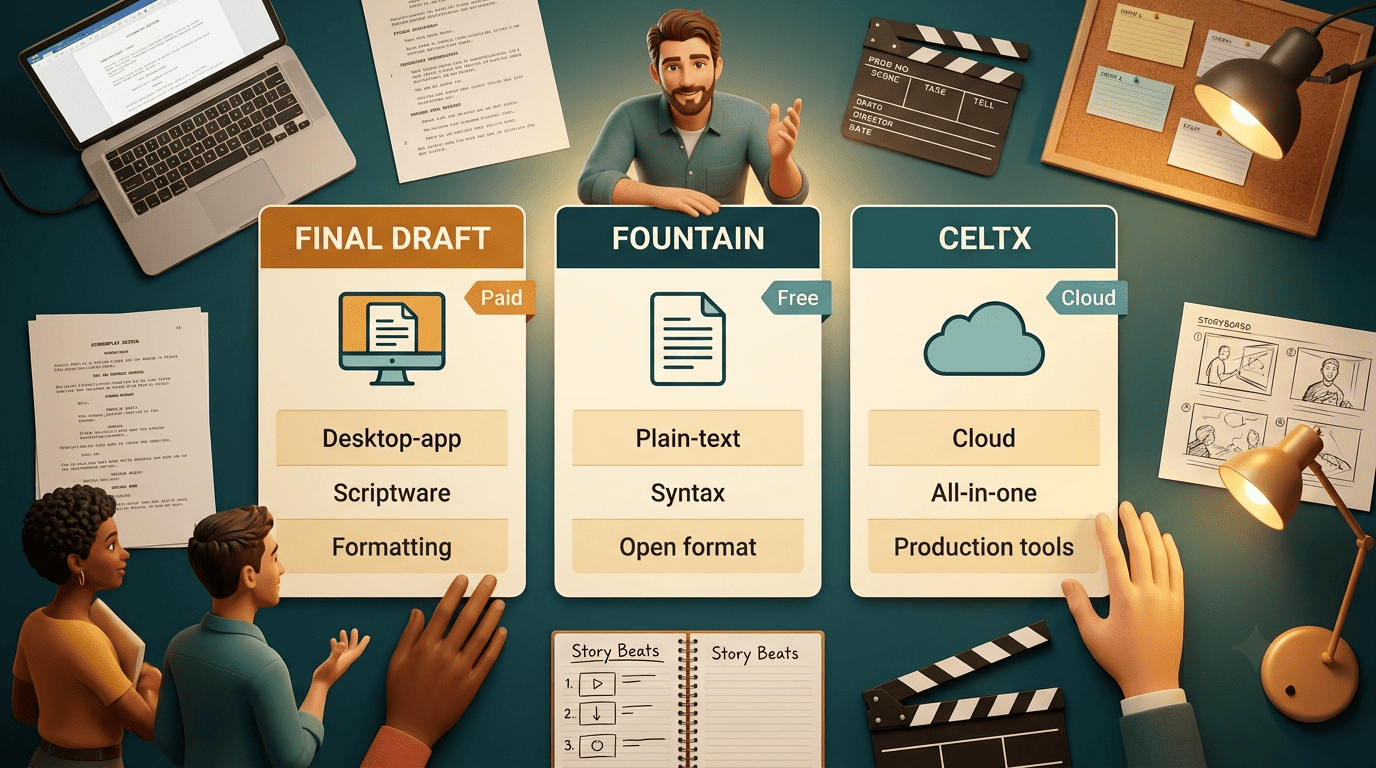
You do not have to format all of this by hand. Three names dominate the conversation about how scripts are written and stored, and they solve the problem in different ways.
Which format should you write in
Final Draft is the long-standing industry standard — powerful and widely expected in professional writers’ rooms, but a paid license. Fountain is a free, plain-text markup format you can write in any text editor and convert later, which keeps your script portable across apps and future-proof. Celtx is a browser-based option popular with students and small production teams for its collaboration and pre-production features.
| Tool / format | Type | Cost | Best for |
|---|---|---|---|
| Final Draft | Desktop software | Paid license | Professional writers’ rooms |
| Fountain | Plain-text markup | Free / open | Portability, future-proofing |
| Celtx | Cloud app | Freemium | Students, small teams |
The good news: most modern tools import all three — plus Word, plain text, and PDF — and preserve the formatting on the way in. Your choice of format need not lock you into one program for life.
How an AI Script Writer Keeps the Format Correct
This is where an ai screenwriter earns its place. Instead of memorizing margins and tab stops, you describe the scene and let the tool apply the seven line types as you write.
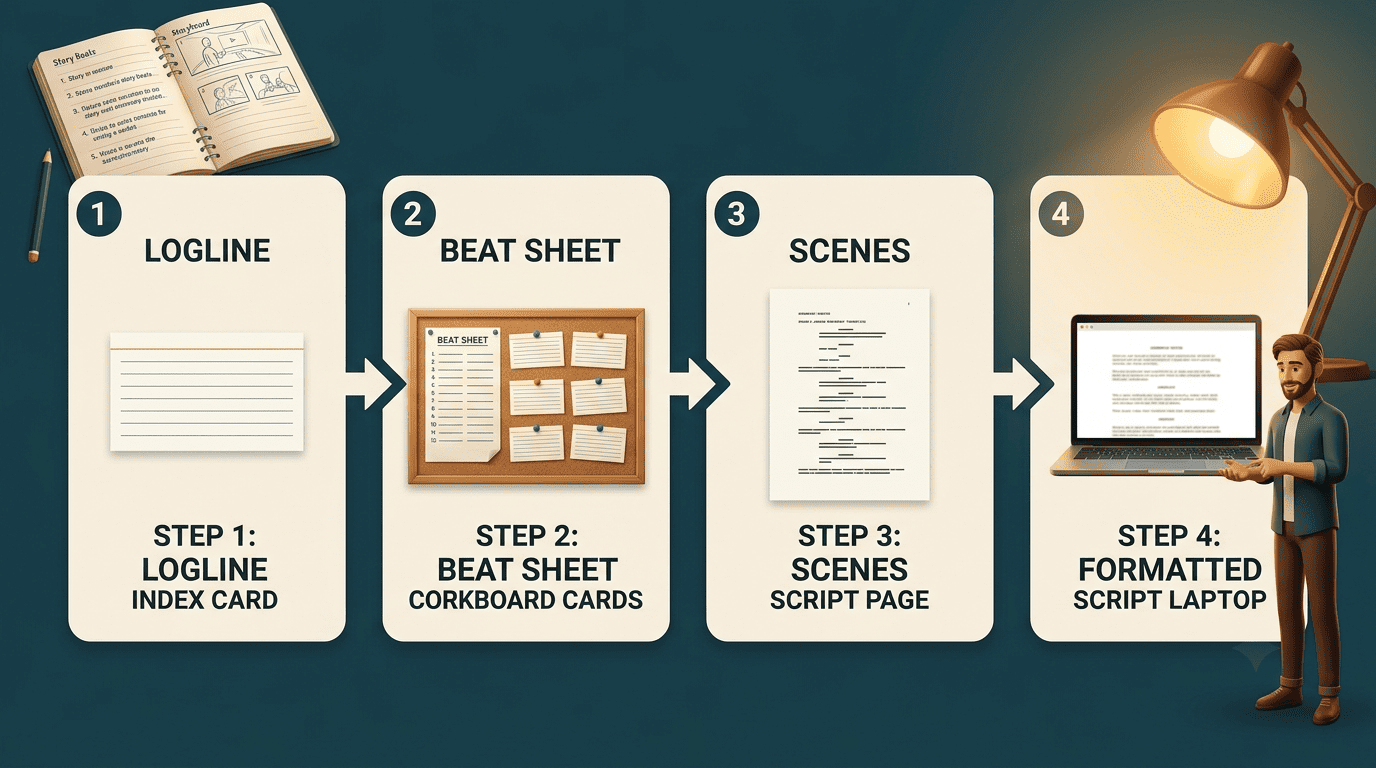
Formatting as you write, not after. A capable AI script generator places scene headings, action, character cues, dialogue, and transitions in the right shape automatically, so your page looks professional from the first draft. That frees your attention for story instead of indentation. The strongest tools work beat by beat — logline, then outline, then beat sheet, then individual scenes — which keeps a feature coherent across 90–120 pages rather than spitting out one shapeless block.
Where AI helps and where you stay in control. A raw prompt to a general chatbot produces a rough first draft at best, thin on subtext and structure. Purpose-built AI scriptwriters keep the editable screenplay as the single source of truth, formatting correctly while you make the creative calls. Model context windows have grown from a few thousand tokens in 2022 to millions today, so an AI can now hold an entire feature in view while it drafts and revises — checking that every INT./EXT. heading, parenthetical, and transition still obeys the standard. The three-act structure and beat-driven planning that professionals rely on map cleanly onto how these tools break a story into scenes.